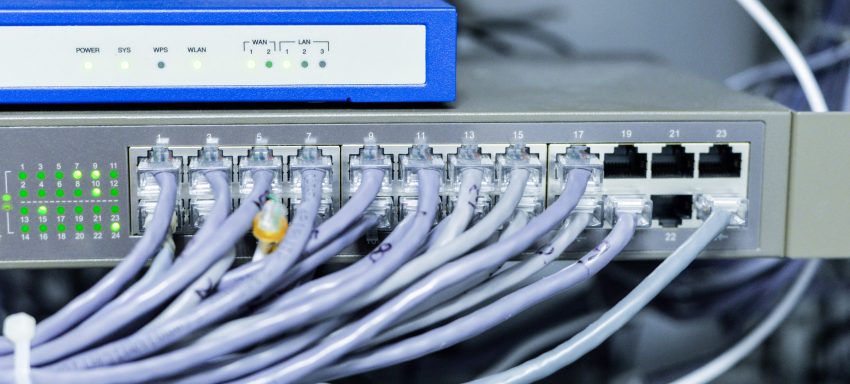
Default Behavior of Interfaces
| Device | Interface Default | When Device is Plugged In |
|---|---|---|
| Switch | No shutdown command | Goes up/up automatically |
| Router | Has shutdown command | Stays admin down/down, must be enabled manually |
🟡 Switch Interfaces
- Active interfaces:
up/up - Unused interfaces:
down/down, but not administratively disabled → become active when connected
✅ Best practice: manually disable all unused interfaces
🔴 Router Interfaces
- Default state:
administratively down/down
✅ Must be manually brought up (no shutdown) to work
✅ No need to disable unused interfaces — already disabled by default
Interface Status Commands
SW1# show ip interface brief // Summary (L1/L2) – works for routers/switches SW1# show interfaces status // Physical info – switch only
| Field | Description |
|---|---|
| Port | Interface ID (e.g. Fa0/1) |
| Name | Configured via description |
| Status | connected, notconnect, or disabled |
| VLAN | Access VLAN or trunk |
| Duplex | full, half, auto, a-full (auto-negotiated full duplex) |
| Speed | auto, a-100, etc. |
| Type | Port type (e.g. 10/100BaseTX) |
Manual Interface Configuration
SW1(config)# interface f0/1
SW1(config-if)# speed 10 // 100 | auto
SW1(config-if)# duplex half // full | auto
💡 Auto-negotiation is default. Only change if issues arise.
Configure Multiple Interfaces
SW1(config)# interface range f0/5 - 6, f0/9 - 12
SW1(config-if-range)# description ## Not in use ##
SW1(config-if-range)# shutdown
SW1(config-if-range)# do show interfaces description
Duplex Modes
| Mode | Description |
|---|---|
| Half Duplex | Send/receive alternately (legacy, used with hubs) |
| Full Duplex | Send/receive simultaneously (modern switches) |
Hubs (Layer 1 devices)
- Work as repeaters: broadcast everything
- Cause collisions when multiple devices transmit at once
- All ports on a hub = one collision domain
- Use CSMA/CD (Carrier Sense Multiple Access with Collision Detection):
- Listen → Transmit → Collision? → Notify → Random wait → Retry
- Modern switches eliminate this problem with full-duplex & separate collision domains
Speed/Duplex Auto-Negotiation
- Switch interfaces: default →
speed auto,duplex auto - Negotiation logic:
- If connected device also supports auto-negotiation → best mutual setting
- If not:
- Speed: switch tries to match or falls back to slowest
- Duplex: uses half for 10/100 Mbps; full for 1000 Mbps+
🛠️ Avoid duplex mismatch → always keep auto-negotiation enabled on both ends.
| Interface Type | Supported Speeds |
|---|---|
| Ethernet | 10 Mbps |
| FastEthernet | 10/100 Mbps |
| GigabitEthernet | 10/100/1000 Mbps |
Interface Errors (Check with show interfaces f0/x)
| Error | Description |
|---|---|
| Runts | Frames < 64 bytes |
| Giants | Frames > 1518 bytes |
| CRC | Failed checksum (Frame Check Sequence error) |
| Frame | Incorrectly formatted frames |
| Input errors | Total of all the above (receive side) |
| Output errors | Failed outbound frames (transmit side) |
✅ These counters help troubleshoot cable and port issues on both routers and switches.
📌 These are personal study notes. Please read the full disclaimer for more information.
Philly here! FB777casinophregister hooked me up with a PH account quick. Registration was smooth sailing. Def recommend for local players. Register here: fb777casinophregister
Gambled a bit on bullsbetcasino. Not blown away, but not complaining either. Standard casino fare, good selection. See what works for ya! bullsbetcasino
Checking out 11uubet. Their site looks pretty clean, a little modern. Games seem standard, but they’ve got some decent promo offers. Worth a peek, perhaps? Give it a go: 11uubet
Yo guys, a2gamedownload, your game downloads are always fast and secure! My favorite place for downloads. Get your game on here: a2gamedownload
Hit’n’Spin Login… Sounds fun, right? Well, it is! Got in a few rounds and the interface is pretty smooth. Give it a spin yourself and see what you think! Best of luck! Find it here: hitnspinlogin
Alright, peeps! If you’re into Free Fire and wanna spice things up with some bets, freefirebetting might just be your jam. Just remember to play it cool and responsible, yeah?
It’s great seeing platforms prioritize skill & strategy! Competitive gaming, like the tournaments at 333jili login online casino, can be a fun way to engage-but remember responsible play is key. Healthy habits first! 👍
23winslot? Name kinda speaks for itself, right? Slots galore! Some of them are surprisingly fun, and payouts aren’t terrible. Worth a spin or two, I reckon. More info here: 23winslot
Excellent breakdown of interface management! The auto-negotiation defaults are particularly crucial – I’ve seen countless network issues from manual speed/duplex misconfigurations. Best practice reminder: always document with descriptions before bulk disabling. Just as platforms like JLJL55 PH download for android optimize user experience through intuitive design, proper interface configuration prevents headaches down the line.
Understanding game mechanics is HUGE for new players! Building that foundation, like with account security tutorials at jljl5 login, really sets you up for success & responsible play. Great article!